
by Ace Concierge | Virtual Assistant | Apr 5, 2013 | Delegation, Virtual Assistant
Image credit: timetrade.com
If you have never partnered with a virtual assistant, you may be wondering how can someone who potentially lives across the country actually help you manage your business on a remote basis. It seems so foreign not to have someone in the next office but we are just a call, text or click away from your fingertips. I have been in business since 2002 and thanks to technology, I am fortunate enough to have both USA based clients as well as international.
Virtual assistants use several different platforms to streamline our client projects and communications, keeping us focused, timely and productive. It is no longer necessary to rely upon an in-house team when you can save money and time by working virtually. There are literally hundreds of tasks and projects that you can effectively delegate to a virtual assistant. The possibilities are only limited by your requests. Click “25 Tasks You can Outsource to a Virtual Assistant to Grow Your Business – Today!” by Chris Ducker.
As a busy executive your early morning may begin with a cup of coffee and your laptop (just don’t mix the two). Email, Facebook, Twitter, LinkedIn, blog posts, Pinterest, calendaring, appointment reminders, content curation and a review of your To Do list are just a small part of your daily routine. How much time do you spend on these every single morning? Are these activities the best use of your time? Are they high payoff activities?
As facets of your marketing, branding and a little fun time, they all require attention, but do they need to be managed by you? Probably not.
What can you do?
Calendaring Case Study:
Enter the busy entrepreneur whose days are full with back to back meetings, presentations, phone calls, business development, networking and correspondence. Triaging emails, calendaring and setting up and confirming calls was not only consuming too many hours, but it wasn’t the best use of his time as it took him away from his core genius.
Our Ace Solution:
- Create a Google account, enabling us to manage his calendar, appointments and reminders
- We also created accounts for conference calling and screen sharing programs for presentations and calls
- The client now forwards email threads with any needed appointment details, alerts the client/prospect that Ace will be managing the appointment scheduling and conference details
- Ace initiates the follow up and schedules the meeting using one of the three tools
- Depending on the application, the appointment will be added to the GCalendar or it will self-populate via the conference platform
- GCal reminders are set up to be delivered via email and or pop-ups for my client
- Email reminders can also be sent to the other attendee(s) if the conference software does not offer the service
It is so much easier and more efficient to simply click “forward” than to manage all of this yourself. It takes time and effort to set up the platforms and manage each step while you are trying to work ON your business.
How much time do you lose during the day working on calendaring and similar low payoff activities? Consider delegating your calendar, appointment scheduling and reminders to a virtual assistant. You will have generated more time in your day to focus on what is important, rather than on what needs to be done.
“It’s just plain smart to leverage your time with talented workers on your team, than try and do it all yourself.” Chris Ducker
by Ace Concierge | Virtual Assistant | Apr 2, 2013 | Small Business, Virtual Assistant, Word Processing

Living in the digital world of online connectivity and technology, we have been able to broaden our reach, create deeper relationships and have many avenues to share our voice. With this explosion of technology and new forms of media expression, we have become accustomed to communicating in 140 characters on Twitter, sending a quick IM or using much abbreviated texting that sometimes leaves the message open for interpretation, or worse, needing a few dictionaries or phoning a friend to decipher the code message.
While texting may be an efficient means to deliver a quick message, allow multi-tasking, and is less of an intrusion when there really isn’t time for a phone call, it can leave you scratching your head, wondering what the sender is saying. This type of tech shorthand is expedient but studies have shown it has negatively changed our levels of personal communications, interactions and writing skills for some. Educators from the Janus project “worry that heavy use of electronic communications such as email, social networking, texting, instant messaging and networked video games has diminished kids’ and adults’ social skills.” Texting is an instant convenient form of communication but has the possibility to weaken our social and written skills, if we allow it to happen.
Debra Vargulish, is a training administrator at the Latrobe-based global tooling company and college recruiter for Kennametal Inc reported that the students she meets are often inarticulate and shy, “They seem to be way better at using technology than older people. It’s actually the content that is missing. A lot of them don’t know what to say at all, and that’s not good.” Influence on Texting on Communication Skills.
The potential impact of texting:
- Reduce the in-depth conversations
- Dumb down spelling and grammar
- Distract people from being fully present
According to a Wall Street Journal article, people are becoming lazier about their grammar and spelling due to texting, instant messaging and social media.
Young students have turned in papers using text shorthand and emoticons.
The US Job Bank reports that many employers have expressed complaints and dissatisfaction with received employment applications that are written in text language. They noted that many applicants have a propensity to speak more informally and use abbreviated text messaging as though they are writing to a close friend.
There is now an online dictionary to explain the most used terminology.
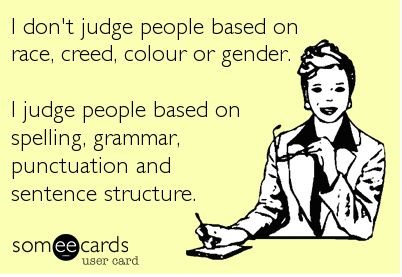
You have just a few seconds to make a valued impression and if you aren’t clear, use proper spelling and grammar, this may present you in an unintended manner.
“Good grammar is credibility, especially on the internet. In blog posts, on Facebook statuses, in e-mails, and on company websites, your words are all you have. They are a projection of you in your physical absence. And, for better or worse, people judge you if you can’t tell the difference between their, there, and they’re.” Kyle Wiens.
While texting, shorthand “lingo” or social media communications may not directly impact you, it has influenced our communications and written word. Know when it is appropriate, who is your audience, become familiar with the common grammar mistakes, use spell-check but don’t depend on it 100%, proofread your documents, blog posts and emails two or three times and add in the email “To” field after you have taken the time to reread your message.
Your communications are a representation of you and your company. Make sure they are free of errors.
Image credit: Might Red Pen

by Ace Concierge | Virtual Assistant | Mar 27, 2013 | Delegation, Guest Blogger, Virtual Assistant
 Have you ever watched popcorn pop?
It appears to be doing nothing and suddenly a loud burst and a hard kernel turns white and fluffy and jumps into the air! Then others begin to follow and the bursts become more frequent. Then the popping gets faster and louder and suddenly you have gone from a handful of kernals to a bowl of popcorn!
My brain works la lot like a popcorn popper. I can be in meetings, in the middle of conversations, reading, watching television or sound asleep and suddenly it as if someone has turned up the heat and the ideas start popping. …Fun but hard to follow – sometimes even for me!
Many times in my life I’ve sat in meetings and had so much popcorn flying around in my brain that it was hard to sort out and articulate it in a way that others could follow. (It can also be hard to listen to others with all of the popcorn flying around!)
Over-time I learned that in order for those kernels to mean anything to anyone else, I need to create bite-sized popcorn balls before I shared them.
• For me that means pulling those kernels from my brain and writing them down.
• Then thinking through what is there and sometimes just letting it sit for awhile.
• It means researching and reading, and listening, thinking and then “balling” the perfect kernels.
• Doing all of that takes time.
• But it helps me turn mountains of data and stories into something meaningful.
• In that process I learn and grow and am better equipped to help others.
As a small business owner I’ve learned that spending my time in that space is one of the most important things I can do. And as a result I’ve decided to hire a Virtual Assistant so that I can stay focused on listening, learning, sorting and “balling”!
Shortly after I made that decision, I read this article about Einstein. Wow! What a powerful way to reinforce that decision!
So tell me: In your position what should you spend more time on?
Guest post via:
Chery Gegelman, President
Giana Consulting LLC
Chery helps individuals and organizations seek truth, connect dots, solve problems and amplify their potential. She is a co-author of the Lead Change book “The Character-Based Leader.”
by Ace Concierge | Virtual Assistant | Mar 2, 2013 | Executive Administration, Time Management
 I was forced into a little work life balance yesterday when the charger port on my laptop decided to malfunction. After about 15 minutes of power cord twisting, manipulation and tape, I was able to create the perfect placement for charging. I am not able to move the laptop out of fear of losing the all important power plug tweak; so there it sits on the floor until further notice.
Thanks to continual time management, scheduling and beginning the work day at 6 AM, all vital projects had been managed. Organizational and productivity skills are a life saver. This daily preparation and task management saved me many headaches and hair pulling while my laptop was in a prone position for getting juiced back up.
After doing some initial research, Friday evening was my night to choose a laptop and I wasn’t coming home empty handed. What I wasn’t aware of was that EVERY computer comes with Windows 8. I had only heard nightmares and a variety of complaints – I was up for the challenge with the learning curve: up until 3:30 AM that is!! I woke at 6, hit snooze until 7 AM and have been here almost all day/night configuring, transferring files, working, screaming, swearing and finding my place with Windows 8 and a new laptop.
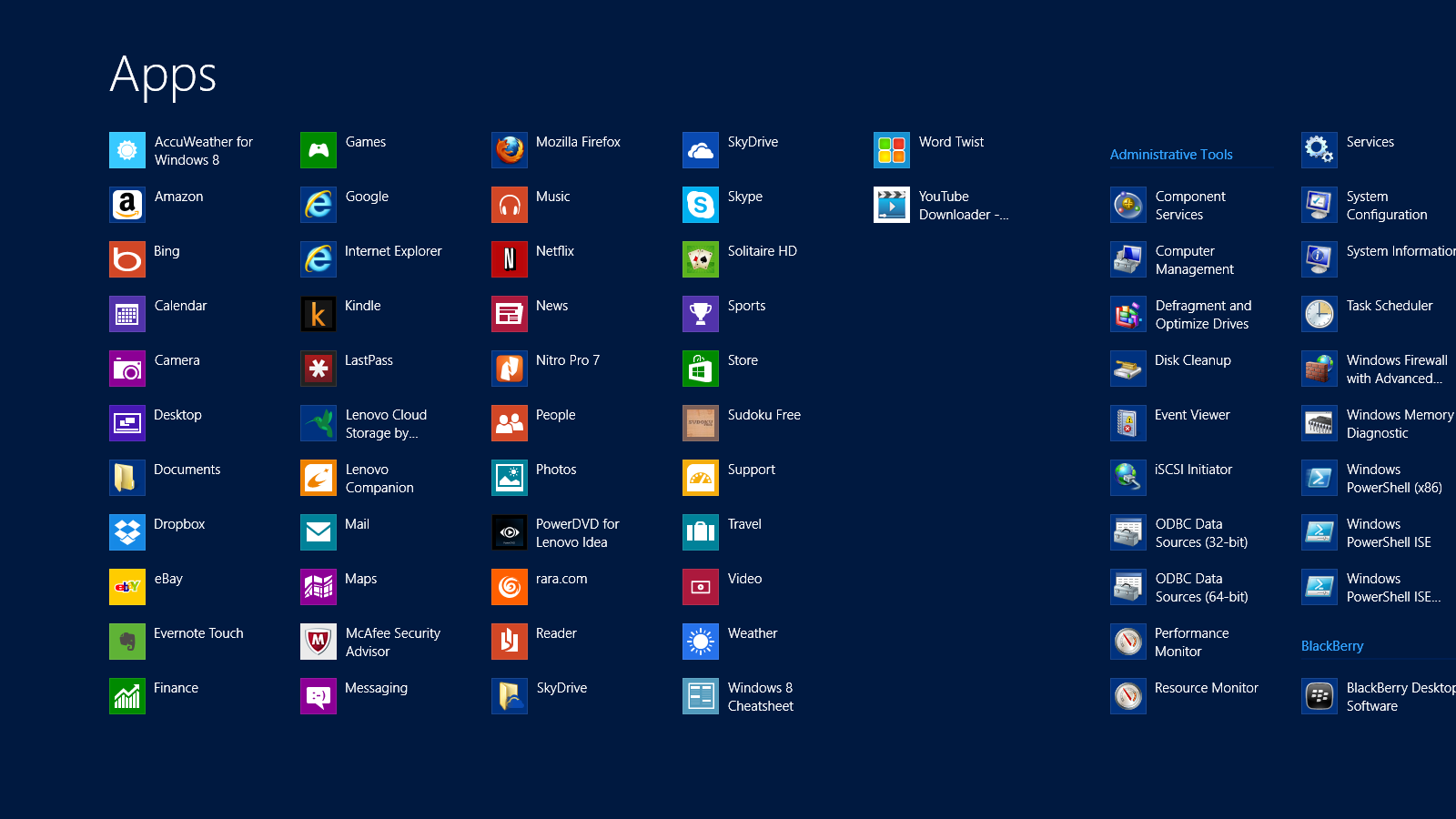
Windows 8 Shortcuts | APPS
I was delighted to find SHORTCUTS amongst their APPS, making my life just a little easier. While I continue to hit a few roadblocks OR maybe five, I am jumping the hurdles. I have read them, practiced them and of course forgotten many and I would like to share the FREE PDF I made of Windows 8 Shortcuts to help us all. Something else that has eased the transition a bit were the tips from the previous post on Keyboard Shortcuts. They have come in handy, especially with developing a comfort level with a new keyboard and touchscreen.
What tips or tricks can you share about Windows 8?

by Ace Concierge | Virtual Assistant | Mar 1, 2013 | Time Management, Virtual Assistant, Word Processing
Save time and enhance productivity with keyboard shortcuts
If you are like most entrepreneurs or solo-business owners you are always looking for ways to save time and learning a few keyboard shortcuts could be one of your time management tools. Reducing the amount of keystrokes and mouse clicks can add up to enhance your productivity and the are also easier than using your mouse especially when you are at the computer for extended hours. You may be surprised at how much time you lose because you are not using keyboard shortcuts. There are shortcuts for almost every action or application, even in GMail you can shave time. As a Virtual Assistant who lives on the computer in the digital world, saving time or creating time is essential for my productivity.
“Studies have found that moving your hand back and forth from the mouse to the keyboard is not only time consuming, it interrupts your typing rhythm – making you far less efficient, and leading to frustration (and mistakes!) when you have to constantly readjust hand placement.” Shortcut Library
Think about the multitude of actions it takes to highlight and copy text:
- Interrupt your typing workflow to grab the mouse
- Position your cursor
- Highlight
- Click copy
- Reposition
- Click again
Wouldn’t Ctrl + C and then V be so much simpler? One of my personal favorites is Alt + Tab to move between open windows. Here are just a few of the keyboard shortcuts (from Small Business Trends) we have compiled and there are many. If you would like the full PDF version, please email: info at aceconcierge dot net.
Keyboard Shortcuts | Productivity Enhancers
ESC – Current main function is to interrupt or cancel current process and/or program. (pressing Esc on websites that use jQuery to display photos is quicker than trying to click on the little ‘x’ in the top right hand corner.)
TAB – used to tab across the screen to the next tab stop. Provides a uniform/neat indentation.
SHIFT – shifts other keys into another mode. e.g. make letters capitals, use symbols above numbers
CTRL – performs special operations in conjunction with other keys.
Ctrl+A = Selects ALL texts/objects
Ctrl+B = Highlights all text in bold
Ctrl+C = Copies selected text/other object
Ctrl+V = Pastes text/image that has been copied
Ctrl+S = Saves document/file
Ctrl+Z = Undo previous action
Ctrl+Y = Redo any “Ctrl+Z” action
ALT – a modifier, this key alternates the functions of other pressed keys
Alt+F = Opens ‘file’ menu in an open program
Alt+F4 = Closes the open program
Alt+Spacebar = Opens the window menu of an opened program
Alt+Tab = Switches between open programs, from L to R
Alt+Shift+Tab = Will reverse the order of switching programs
Interacting with Text
Select text >> Press Shift+Right Arrow, Left Arrow, Up Arrow, or Down Arrow to highlight text
Ctrl+Shift+Arrow Keys do the same thing but more quickly, since the cursor is moving per new word now instead of per character
Shift+End to select the end of the line
Ctrl+C to copy selected text to the ‘clipboard’
Ctrl+X to cut selected text
Ctrl+V to paste copied text from the ‘clipboard’
Ctrl+Z to undo an action
Ctrl+Y to redo an action
Ctrl+Right Arrow (Move the insertion point to the beginning of the next word)
Ctrl+Left Arrow (Move the insertion point to the beginning of the previous word)
Ctrl+Down Arrow (Move the insertion point to the beginning of the next paragraph)
Ctrl+Up Arrow (Move the insertion point to the beginning of the previous paragraph)
Ctrl+A (Select all)
Ctrl+Delete (Delete the rest of the word, or entire word if cursor is placed at beginning)
Keep in mind that this is just the shortlist of keyboard shortcuts! How many have you mastered?