by Ace Concierge | Virtual Assistant | Jun 12, 2013 | Small Business, Time Management
 How many hours do you spend online checking email, reading posts, searching for information, checking sports scores, reviewing competitors, tweeting, sharing content or setting up reminders? These activities are necessary but also very time consuming and at points, a distraction away from business. What if there was a simple tool to help you automate some of this work, have it delivered to your communication channel of choice and was at no cost to you?
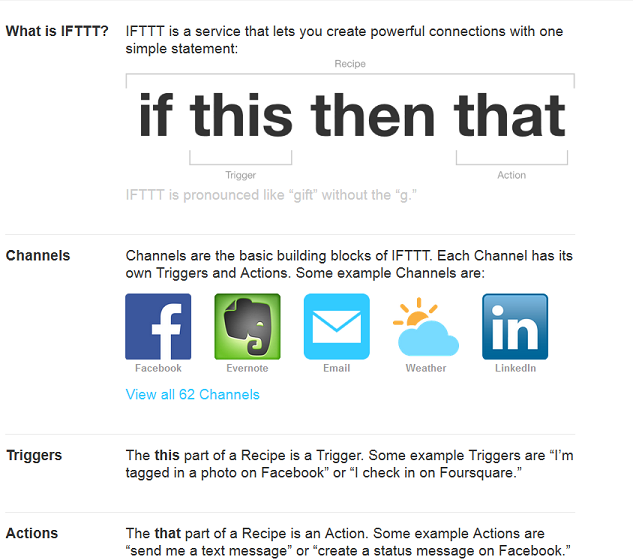
Launched in 2010, “If This, Then That” is FREE service that allows users to connect 62 different channels with “recipes” to help optimize your business, your life and your content. You create triggers “if this” happens “then that” which is the action, pushes the data to your desired channel.
Sample recipes:
- Push RSS feeds to Twitter, Facebook, LinkedIn or Buffer
- Receive a text message, email or phone call when a particular hashtag is posted
- Have Facebook or Instagram images sent to Dropbox
- Receive a text message if there is a forecast for rain
- Star a Gmail and have it delivered to Evernote
- Add Foursquare check-in history to Google Calendar
- Receive a text message for new Gmail notifications
- Send email attachments to Dropbox
- Send an email to IFTTT to call your phone if it is missing
- Automatically create a Twitter list of new followers to review at a later date
- Twitter keyword search to your email
- Schedule tweets using Google calendar
- Have ESPN sports scores and breaking news delivered to your inbox
As you can see, the possibilities are almost limitless. By creating your recipes, you will save time and be a little more productive and organized. It is one of my favorite tools, simplifying content curation and automating a few of my daily projects.
“Time is really the only capital that any human being has, and the only thing he can’t afford to lose.’” – Thomas Edison
How do you use IFTTT?
Image credit: IFTTT
by Ace Concierge | Virtual Assistant | Jun 6, 2013 | Social Media, Virtual Assistant
 Managing your business can take an army and you can’t do it alone, but who should you trust to help you with your business operations? Your proprietary documents? Trade secrets? Login credentials? Client lists?
An established, entrepreneurial virtual assistant. You need a vested partner who understands what it takes to run a company.
You need a “weapon of mass production.” A virtual assistant will help you to effectively manage and execute your business dealings at a great cost savings too because you only pay for project time. There are no hidden costs, insurances, training, equipment or “benefits.”
A VA can be your brainstorming partner, your sounding board for your ideas and innovations.
A VA will seek out other vendors and collaborators.
A VA is your right arm and second pair of eyes for editing, proofing and creating documents.
A VA will help manage your calendar and appointment scheduling.
A VA is your researcher for content curation.
A VA keeps your ears on social media trends and analytics for your brand.
A VA enables YOU to focus on your core genius – the tasks that you do best.
A VA is your time manager.
What are you waiting for?
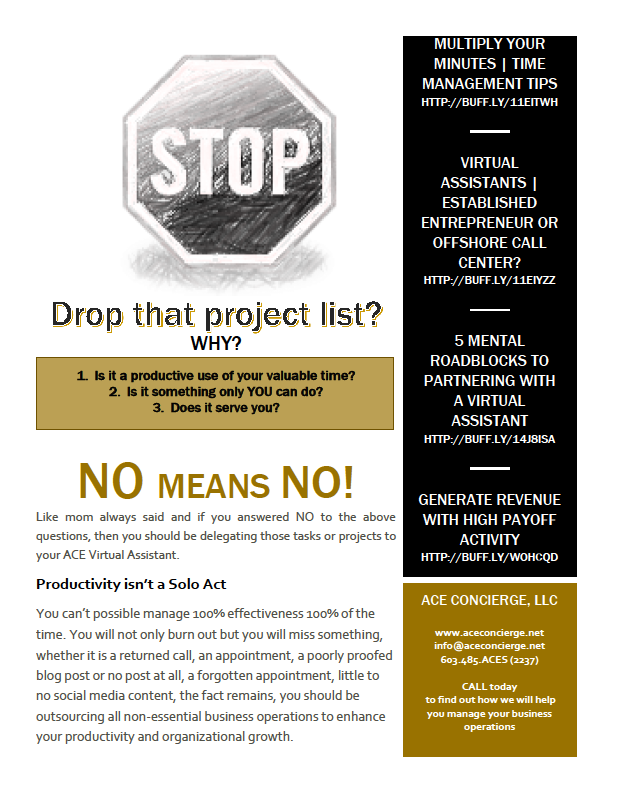
Isn’t it time you stopped doing all of the low payoff activities that demand your attention but don’t generate income?
by Ace Concierge | Virtual Assistant | May 30, 2013 | Organization, Small Business, Virtual Assistant
 Helping to manage a client’s business requires attention to detail, thoroughness, time management and accuracy. As a virtual assistant, my client base has entrusted their business operations and daily tasks to Ace. It is vital for success and smooth processes that we utilize the best tools and software to ensure that everything is properly executed and facilitated with no errors.
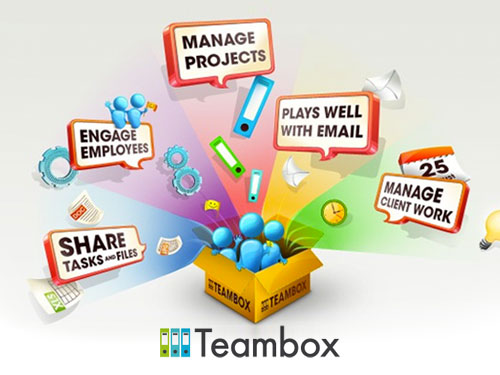
One of my favorite project management platforms is Teambox. It allows for one centralized location for communications, tasks, notes, files, time tracking and accountability.
Teambox Structure
- Projects – This is what you are working on, the main objective.
- Tasks – The different pieces of a project. Assign tasks to different members of your project.
- Members – These are the people that are involved in the project.
- Notes – A shared workspace for you and your team. Share notes from meetings, whiteboard ideas and collaborate.
- Conversations – Communicate in real-time about specific tasks or the project as a whole.
- Files – Share files that are relevant to your project with members of your team. You can also share specific files with people who aren’t members of the project.
The dashboard is very user friendly and simplified, displaying your projects and each feature mentioned above in real time. You can click on “recent activity” for an overview of each project or click on each project separately. One of the features that is most useful are the notifications which are delivered to my email and I can respond from there or login directly to TB.
Teambox is also integrated with Dropbox, Google, Github, RSS Readers and mobile apps. It makes it easy to access from anywhere, keeping you on task, connected and up to date.
My clients each have their own login, enabling them to upload files, create notes and assign tasks. Along with the conversations, keeping all of the project details in one location ensures efficiency and successful project management.
As a collaborative tool, Teambox also offers group chats with your team where you can even share files, videos and stay in direct contact as the project moves forward. The syncing opportunities have produced numerous options and capabilities to cross share content, stay in touch and manage the task calendars within the application in addition to any that you have synced.
If you are working with a team, you may only want specific people to view a task or conversation. Setting up privacy rules is fast and simple by choosing who the “watchers” are of the specific task or conversation. It remains private with only the people you choose.
Project management is a necessary component of every business, large or small and if you don’t have some type of system or program in place, data can get lost, tasks forgotten or missteps may occur. Find and test drive a platform that works for you and one that you will commit to using.
Image credit: Lifehacker

by Ace Concierge | Virtual Assistant | May 28, 2013 | Entrepreneur, Organization, Small Business
 Really simple syndication or RSS Feeds are a mainstay for content curation and digital consumption. I need the news not just as an educational factor or to stay up to date on current events, but it is necessary component of the virtual assistant industry and for any business. Pushing RSS feeds to a news aggregator saves time from endless hours of revisiting websites, clicking, and research as it will populate desired content into one central location. It is all automatic. How simple is that?
Most websites do have RSS Feeds on their site to help share their content at a click of a button. This social share is very important with your audience helping them to freely distribute your information. Personally, I don’t care to provide my email address to overflow my inbox with newsletters and daily feed digests. I prefer Feedly or other aggregators to maintain and update my interests. It is meticulously organized by category and client, enabling me to sift through thousands of targeted articles, choose what I need and schedule social media content for my client base.
When I find a site that only offers the option of inputting my email, they have lost my attention. I receive enough digital dessert that there is always someone else I can find if you don’t have a feed.
Why should you have an RSS Feed on your site?
- Convenience
- Ease of distribution
- More returning visitors
- No barrier to subscribing
I love RSS Feeds as they simplify my life, content curation and digital candy to the central location of my choice. You can even create your own feeds for Twitter users or hashtags as well as almost any other searchable web content. Bruno Gebarski provides clear instructions on generating your own feeds for a variety of content and it is very easy to set up.
Make sure you have an RSS Feed on your blog or website to ensure your audience is able to be a part of your marketing channel. Is it visible? Easily found on your pages? Don’t miss out on opportunities by only offering an email opt-in to receive your updates. While building your email list is important, you also don’t want to alienate those who don’t want to provide their email address. Be available. Be accessible.
Feed your readers a healthy diet of your content at their convenience and comfort level.

by Ace Concierge | Virtual Assistant | May 21, 2013 | Time Management
 So you have read it is a myth. Well, it is in a way. You can’t manage your time but you can learn to better manage yourself. “Time management” takes discipline and commitment.
There are many hindrances to time management but they are all relate back to how we regulate our lives and productivity levels.
Things that hinder your time management
- Procrastination: when you consistently put off tasks, you end up in a time crunch and can miss deadlines or leave things undone.
- Distractions: take you away from the project, cuts into your time, diminishes focus
- Disorganization: misplace, misfile or lose things and you must waste time searching.
- Lack of focus: jumping around between tasks/projects decreases productivity and output; hence spending more needless time going back to find and finish what you started
- Saving EVERYTHING: when your inbox and folders are overstuffed, you spend more time searching for documents and emails. This inefficiency wastes your time
- Data overload: you have a constant barrage of emails, text messages, IMs and news pouring into your inbox. When you have a new notification, do you automatically STOP what you are doing, click, read, close? This takes up time, removes your focus and interrupts your work flow.
“You can manage the information and the interruptions, because the problem doesn’t lie in the amount of information and interruptions. The problem lies with your methods of processing that information and handling the interruptions.”
Time Fix – Get Organized
By organizing, prioritizing and eliminating distractions, you will save time and enhance your productivity.
- Create schedules
- Time block your day
- Organize your data
- Develop a routine
- Set boundaries
- Use your calendar for appointments and To Dos
- Use action steps for items on your To Do list
- Keep your workspace orderly
- Check email at specific intervals
- Delegate
- Put down your Smartphone
- Turn off the television
These are just a few simple tips to better manage yourself which will in turn help you to better manage your time. You will feel more systematized and industrious. Can you imagine how much more you will be able to accomplish in your day? With 168 hours in the week, you truly can achieve great things.
Are you ready to be the master of your time??
Image credit: Microsoft