
by Ace Concierge | Virtual Assistant | Jun 27, 2013 | Delegation, Small Business, Virtual Assistant
 Yes! I do have one too and I am not sure how I would function without her or the rest of my team. You see, I do practice what I preach. Delegating isn’t just something I recommend for you and your business. I need to do it too.
WHY? Delegating daily tasks and projects enables me to be more productive and efficient. As a solo-preneur, there are only so many hats you can wear before you become overwhelmed and burdened with too many activities on your plate.
Scale for growth: In order to continue a path toward growth, I knew I needed to function at an optimum level. This meant outsourcing to my team enabling me to focus on core tasks that only I can do.
Two Fold Project: I wanted to expand my reach both locally and in my digital universe. In my daily content curation for my client base, I discovered a few articles about RSS feed directories and local online listings. I forwarded these to my trusted virtual assistant, including a few questions, wanting additional research, a compilation of the top sites for each and I also included the approximate time to be spent on each action step.
After a few clarifying e-mails, we had formulated a plan of action. I soon received a list of directories for both queries for approval along with some well thought out details and suggestions.
Results: I am now listed on several RSS feed directories who pull my blog posts while others require manual submission. The local directories have all been updated with my business information and links. Today, I received a spreadsheet containing all of the data, logins and submissions.
“That was easy.”
I can’t tell you how excited I was to have this time consuming project moved off my plate, giving me the time to manage other client business needs as well as other Ace projects.
Outsourcing gives me such great benefits beyond just time. I know I have a team to collaborate and brainstorm ideas. There is accountability. We meet virtually as needed and fully utilize a variety of tools to enhance communications and project management.
Feel the freedom and partner with a virtual assistant. I do.

by Ace Concierge | Virtual Assistant | Jun 17, 2013 | Customer Service, Entrepreneur, Small Business
Sure, you have a business, but whether you sell a product or a service, you must provide SERVICE. What makes you so much different from your competitor that your prospects are knocking down your door? Or are they?
Solving problems is your real product not your widget or your services. Anyone and everyone does that. It is you, your service and your ability to meet the customer/prospect needs that will drive your business.
You already know that people buy from people. You are “people” not just your brand or your company. It is your responsibility to meet needs, solve issues and instill a level of comfort and trust with your audience. The buying decision occurs in the emotional environment.
“Too many business owners and sales people try to sell their product or service, neglecting the fact that their customer is a person. In fact, the customer is a person who has feelings, influences and a mind of their own. They want to be connected with, and to trust and believe the person from which they are buying.” Rebecca Wilson
According to their findings in a Customer Loyalty Engagement Index, Brand Keys Inc, concluded that the buying decision is 70% emotional and only 30% rational. “Emotional engagement is the pivotal key to successful marketing.” It is up to you to build an emotional, personal relationship with consumers, conveying trust, comfort and understanding.
Social media affords you the platform of being personal, getting to know your audience, their drivers and their pain points. It is up to you to create your reliable brand persona instilling trust and generating a comfort level and feeling of confidence with you and your company. Georgina El Morshdy outlines 30 Ways to Build the “Know, Like, and Trust” Factor that Grows an Audience on Copyblogger. “Your audience won’t pick up real momentum until you’ve mastered the “know, like, trust” factor.”
The relationship building approach works to consistently develop trust, loyalty and a foundation for a long term partnership. It takes time to build any genuine relationship but isn’t your customer worth it? Being in business isn’t just about the sale; it is about fulfilling needs, valuing your customer and providing impeccable service.
by Ace Concierge | Virtual Assistant | Jun 6, 2013 | Social Media, Virtual Assistant
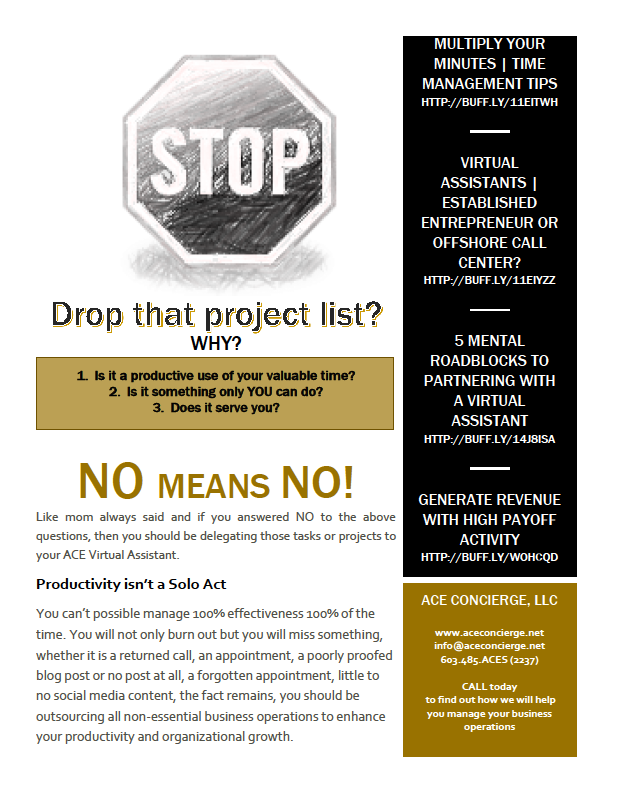
 Managing your business can take an army and you can’t do it alone, but who should you trust to help you with your business operations? Your proprietary documents? Trade secrets? Login credentials? Client lists?
An established, entrepreneurial virtual assistant. You need a vested partner who understands what it takes to run a company.
You need a “weapon of mass production.” A virtual assistant will help you to effectively manage and execute your business dealings at a great cost savings too because you only pay for project time. There are no hidden costs, insurances, training, equipment or “benefits.”
A VA can be your brainstorming partner, your sounding board for your ideas and innovations.
A VA will seek out other vendors and collaborators.
A VA is your right arm and second pair of eyes for editing, proofing and creating documents.
A VA will help manage your calendar and appointment scheduling.
A VA is your researcher for content curation.
A VA keeps your ears on social media trends and analytics for your brand.
A VA enables YOU to focus on your core genius – the tasks that you do best.
A VA is your time manager.
What are you waiting for?
Isn’t it time you stopped doing all of the low payoff activities that demand your attention but don’t generate income?
by Ace Concierge | Virtual Assistant | Apr 2, 2013 | Small Business, Virtual Assistant, Word Processing

Living in the digital world of online connectivity and technology, we have been able to broaden our reach, create deeper relationships and have many avenues to share our voice. With this explosion of technology and new forms of media expression, we have become accustomed to communicating in 140 characters on Twitter, sending a quick IM or using much abbreviated texting that sometimes leaves the message open for interpretation, or worse, needing a few dictionaries or phoning a friend to decipher the code message.
While texting may be an efficient means to deliver a quick message, allow multi-tasking, and is less of an intrusion when there really isn’t time for a phone call, it can leave you scratching your head, wondering what the sender is saying. This type of tech shorthand is expedient but studies have shown it has negatively changed our levels of personal communications, interactions and writing skills for some. Educators from the Janus project “worry that heavy use of electronic communications such as email, social networking, texting, instant messaging and networked video games has diminished kids’ and adults’ social skills.” Texting is an instant convenient form of communication but has the possibility to weaken our social and written skills, if we allow it to happen.
Debra Vargulish, is a training administrator at the Latrobe-based global tooling company and college recruiter for Kennametal Inc reported that the students she meets are often inarticulate and shy, “They seem to be way better at using technology than older people. It’s actually the content that is missing. A lot of them don’t know what to say at all, and that’s not good.” Influence on Texting on Communication Skills.
The potential impact of texting:
- Reduce the in-depth conversations
- Dumb down spelling and grammar
- Distract people from being fully present
According to a Wall Street Journal article, people are becoming lazier about their grammar and spelling due to texting, instant messaging and social media.
Young students have turned in papers using text shorthand and emoticons.
The US Job Bank reports that many employers have expressed complaints and dissatisfaction with received employment applications that are written in text language. They noted that many applicants have a propensity to speak more informally and use abbreviated text messaging as though they are writing to a close friend.
There is now an online dictionary to explain the most used terminology.
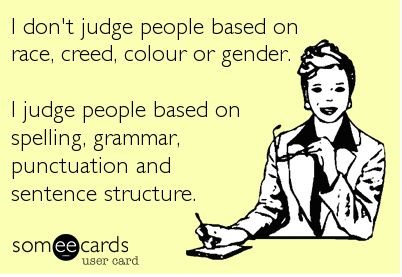
You have just a few seconds to make a valued impression and if you aren’t clear, use proper spelling and grammar, this may present you in an unintended manner.
“Good grammar is credibility, especially on the internet. In blog posts, on Facebook statuses, in e-mails, and on company websites, your words are all you have. They are a projection of you in your physical absence. And, for better or worse, people judge you if you can’t tell the difference between their, there, and they’re.” Kyle Wiens.
While texting, shorthand “lingo” or social media communications may not directly impact you, it has influenced our communications and written word. Know when it is appropriate, who is your audience, become familiar with the common grammar mistakes, use spell-check but don’t depend on it 100%, proofread your documents, blog posts and emails two or three times and add in the email “To” field after you have taken the time to reread your message.
Your communications are a representation of you and your company. Make sure they are free of errors.
Image credit: Might Red Pen

by Ace Concierge | Virtual Assistant | Mar 1, 2013 | Time Management, Virtual Assistant, Word Processing
Save time and enhance productivity with keyboard shortcuts
If you are like most entrepreneurs or solo-business owners you are always looking for ways to save time and learning a few keyboard shortcuts could be one of your time management tools. Reducing the amount of keystrokes and mouse clicks can add up to enhance your productivity and the are also easier than using your mouse especially when you are at the computer for extended hours. You may be surprised at how much time you lose because you are not using keyboard shortcuts. There are shortcuts for almost every action or application, even in GMail you can shave time. As a Virtual Assistant who lives on the computer in the digital world, saving time or creating time is essential for my productivity.
“Studies have found that moving your hand back and forth from the mouse to the keyboard is not only time consuming, it interrupts your typing rhythm – making you far less efficient, and leading to frustration (and mistakes!) when you have to constantly readjust hand placement.” Shortcut Library
Think about the multitude of actions it takes to highlight and copy text:
- Interrupt your typing workflow to grab the mouse
- Position your cursor
- Highlight
- Click copy
- Reposition
- Click again
Wouldn’t Ctrl + C and then V be so much simpler? One of my personal favorites is Alt + Tab to move between open windows. Here are just a few of the keyboard shortcuts (from Small Business Trends) we have compiled and there are many. If you would like the full PDF version, please email: info at aceconcierge dot net.
Keyboard Shortcuts | Productivity Enhancers
ESC – Current main function is to interrupt or cancel current process and/or program. (pressing Esc on websites that use jQuery to display photos is quicker than trying to click on the little ‘x’ in the top right hand corner.)
TAB – used to tab across the screen to the next tab stop. Provides a uniform/neat indentation.
SHIFT – shifts other keys into another mode. e.g. make letters capitals, use symbols above numbers
CTRL – performs special operations in conjunction with other keys.
Ctrl+A = Selects ALL texts/objects
Ctrl+B = Highlights all text in bold
Ctrl+C = Copies selected text/other object
Ctrl+V = Pastes text/image that has been copied
Ctrl+S = Saves document/file
Ctrl+Z = Undo previous action
Ctrl+Y = Redo any “Ctrl+Z” action
ALT – a modifier, this key alternates the functions of other pressed keys
Alt+F = Opens ‘file’ menu in an open program
Alt+F4 = Closes the open program
Alt+Spacebar = Opens the window menu of an opened program
Alt+Tab = Switches between open programs, from L to R
Alt+Shift+Tab = Will reverse the order of switching programs
Interacting with Text
Select text >> Press Shift+Right Arrow, Left Arrow, Up Arrow, or Down Arrow to highlight text
Ctrl+Shift+Arrow Keys do the same thing but more quickly, since the cursor is moving per new word now instead of per character
Shift+End to select the end of the line
Ctrl+C to copy selected text to the ‘clipboard’
Ctrl+X to cut selected text
Ctrl+V to paste copied text from the ‘clipboard’
Ctrl+Z to undo an action
Ctrl+Y to redo an action
Ctrl+Right Arrow (Move the insertion point to the beginning of the next word)
Ctrl+Left Arrow (Move the insertion point to the beginning of the previous word)
Ctrl+Down Arrow (Move the insertion point to the beginning of the next paragraph)
Ctrl+Up Arrow (Move the insertion point to the beginning of the previous paragraph)
Ctrl+A (Select all)
Ctrl+Delete (Delete the rest of the word, or entire word if cursor is placed at beginning)
Keep in mind that this is just the shortlist of keyboard shortcuts! How many have you mastered?